
• Skip to primary navigation
  • Skip to main content
  • Skip to primary sidebar
Map Happy logo
  • Travel
    • Adventure
    • Leisure
    • Business
      • Loyalty
    • Student
    • Ladies
  • Trip Planning
    • Documentation
      • Customs
      • Passport
      • Visa
    • Reference Charts
    • Itinerary
    • Packing
    • Money
      • Budget
      • Luxury
      • Plastic
    • Technology
      • Photography
      • Connectivity
    • Language
  • Hacks
  • Transit
    • Flights
      • Airlines
      • Security
      • Airports
      • Lounges
    • Lodging
      • Hostels
      • Hotels
      • Vacation Rentals
        • Airbnb
    • Sea
      • Cruises
    • Ground
      • Bus
      • Cars
        • Taxis
          • Lyft
          • Uber
      • Public Transport
      • Trains
  • Expat
  • Features
    • Countries
      • Africa
      • Antarctica
      • Asia
      • Europe
      • North America
      • South America
      • Oceania
    • Guides
    • Culture & Science
    • Interviews
    • Opinion
  • Gear
    • Bags
  • Reviews
  • Tools
menu icon
go to homepage
  • Travel
    • Adventure
    • Leisure
    • Business
      • Loyalty
    • Student
    • Ladies
  • Trip Planning
    • Documentation
      • Customs
      • Passport
      • Visa
    • Reference Charts
    • Itinerary
    • Packing
    • Money
      • Budget
      • Luxury
      • Plastic
    • Technology
      • Photography
      • Connectivity
    • Language
  • Hacks
  • Transit
    • Flights
      • Airlines
      • Security
      • Airports
      • Lounges
    • Lodging
      • Hostels
      • Hotels
      • Vacation Rentals
        • Airbnb
    • Sea
      • Cruises
    • Ground
      • Bus
      • Cars
        • Taxis
          • Lyft
          • Uber
      • Public Transport
      • Trains
  • Expat
  • Features
    • Countries
      • Africa
      • Antarctica
      • Asia
      • Europe
      • North America
      • South America
      • Oceania
    • Guides
    • Culture & Science
    • Interviews
    • Opinion
  • Gear
    • Bags
  • Reviews
  • Tools
    • Facebook
    • Instagram
    • Pinterest
  • subscribe
    search icon
    Homepage link
    • Travel
      • Adventure
      • Leisure
      • Business
        • Loyalty
      • Student
      • Ladies
    • Trip Planning
      • Documentation
        • Customs
        • Passport
        • Visa
      • Reference Charts
      • Itinerary
      • Packing
      • Money
        • Budget
        • Luxury
        • Plastic
      • Technology
        • Photography
        • Connectivity
      • Language
    • Hacks
    • Transit
      • Flights
        • Airlines
        • Security
        • Airports
        • Lounges
      • Lodging
        • Hostels
        • Hotels
        • Vacation Rentals
          • Airbnb
      • Sea
        • Cruises
      • Ground
        • Bus
        • Cars
          • Taxis
            • Lyft
            • Uber
        • Public Transport
        • Trains
    • Expat
    • Features
      • Countries
        • Africa
        • Antarctica
        • Asia
        • Europe
        • North America
        • South America
        • Oceania
      • Guides
      • Culture & Science
      • Interviews
      • Opinion
    • Gear
      • Bags
    • Reviews
    • Tools
    • Facebook
    • Instagram
    • Pinterest
  • ×

    How To Calibrate Google Maps on Your Android or iPhone

    Published/Updated: Jul 9, 2025 · Erica Ho · 1 minute read

    Placeit

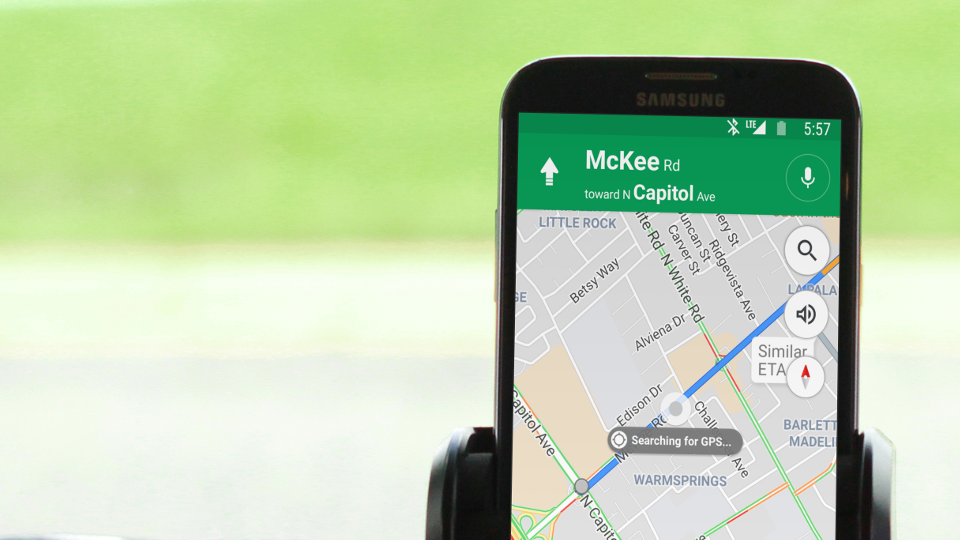
    Driving in circles is everybody's idea of fun! Before buying a new phone, there's a couple of ways to fix a shoddy GPS gone haywire.

    There are a couple of quick fixes available out there before tossing the thing in the trash. Google Maps users have the quickest calibration fix. Other than that, location toggling in Android and iPhone might solve the issue, but the fix is often something like resetting a router. Last-case scenarios often involve resetting and flashing the phone back to factory defaults, before its time to consider the wallet.

    Location service accuracy relies on cellphone tower triangulation, GPS, and other assorted data to pinpoint an exact location. But sometimes, you drop your phone *one too many times* and everything no longer quite works like it once did.

    Here are a few methods that might solve the problem depending on device and software.

    Apple iPhone

    technobeez (and we assume other Apple users) have reported that toggling Location Services on and off seems to do the trick.

    Navigate to this menu in the phone: Settings Privacy Location Services

    Other than that, Apple doesn't seem to offer much help in the way of hardware calibration within their devices, which is why it may be helpful to check out the Google Maps calibration if that's the navigation tool of choice.

    Android

    Google's tips aren't much better than Apple's. Toggling between high accuracy, battery saving and device only in location mode may seem to do the trick.

    Navigate to this menu in the phone: Settings Security & location  Location to access the settings.

    It also suggests turning on the Wi-Fi if that already isn't on. Google also suggests powering the phone on and off to improve location tracking.

    Google Maps

    Google Maps seems to have a pretty phone-agnostic method for calibrating the app. (Apple Maps people, please stop reading.)

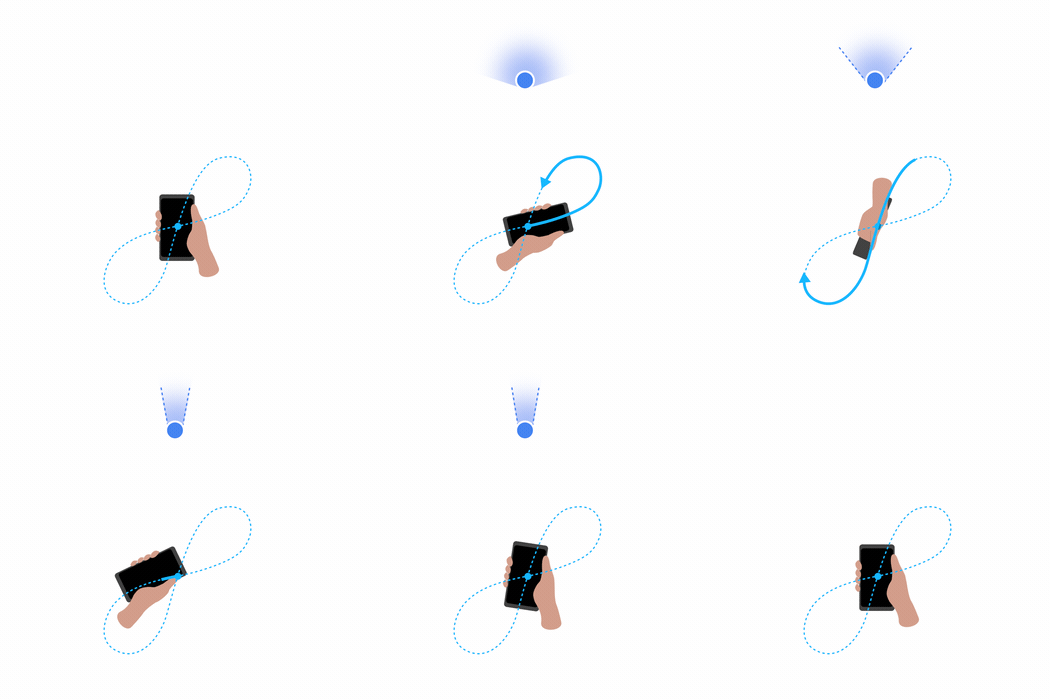
    The quickest way to calibrate a GPS is by opening the app, then waving the phone around in a figure 8 pattern about three to five times. Much like this.

    In case there's any confusion on how to do the figure 8, here's an additional video of a guy waving it around.
    • Save

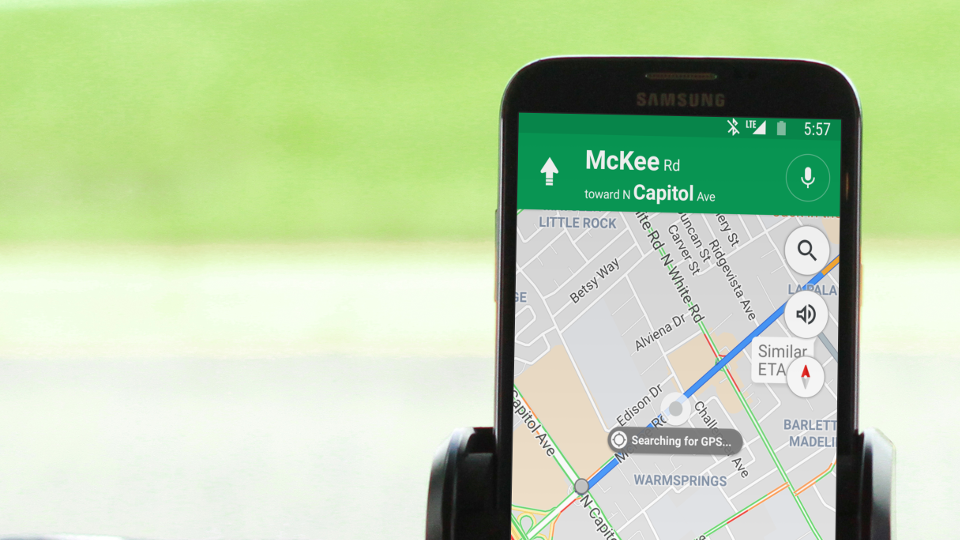
    This might look a little weird if you're already in the car driving around. Please pay attention to traffic safety signs.
    • Save

    Popular Posts

    Review: The Reason Allbirds Tree Runners Are the Perfect Travel Shoe (With One Exception).

    The Best Away Luggage Alternatives

    Primary Sidebar

    TL;DR

    Before you freak out, open Google Maps and wave your phone around in a figure 8 pattern a couple of times (ideally, three to five times).

    👉 Add Map Happy to Google Preferred Sources

    Some posts contain affiliate links.
    These links support our work.
    This is our official policy on generative AI use.

    Erica Ho

    Erica Ho

    Erica Ho is a former reporter for TIME in Hong Kong and former geek at Gizmodo and Lifehacker. Her work has appeared in CNN, Yahoo!, MSN, Mashable, Travel + Leisure, Conde Nast Traveler and Quartz to name a few places.

    The good ol' days! I remember creeping as a former The good ol' days! I remember creeping as a former expat, and honestly, stumbling into the most random places as a traveler  😅 

It is not every day you stumble into someone else's living room for a private jazz concert, and if you happen to be down in Mexico City, check out @laa_esquina (send a DM!). 

Twice a month. It's the best kind of Saturday night, even if I can't stay up that late anymore!
    Follow on Instagram

    Footer

    ↑ back to top

    About

    • Privacy
    • Editorial Guidelines
    • Terms of Service
    • AI Disclosure

    Follow

    • email updates

    Contact

    FAQ


    Copyright © 2024 Map Happy

    • Facebook
    • Pinterest
    • Twitter
    • Reddit
    • WhatsApp
    • Email
    • Print